
After moving houses 10 times in the Netherlands, I got tired of the same old struggle: How much flooring do I actually need? Every time, I’d end up with either too much material (wasting money) or not enough (mid-project panic). So, I built Plank, a free, no-nonsense flooring calculator, with Lovable. My goal is to solve this once and for all.
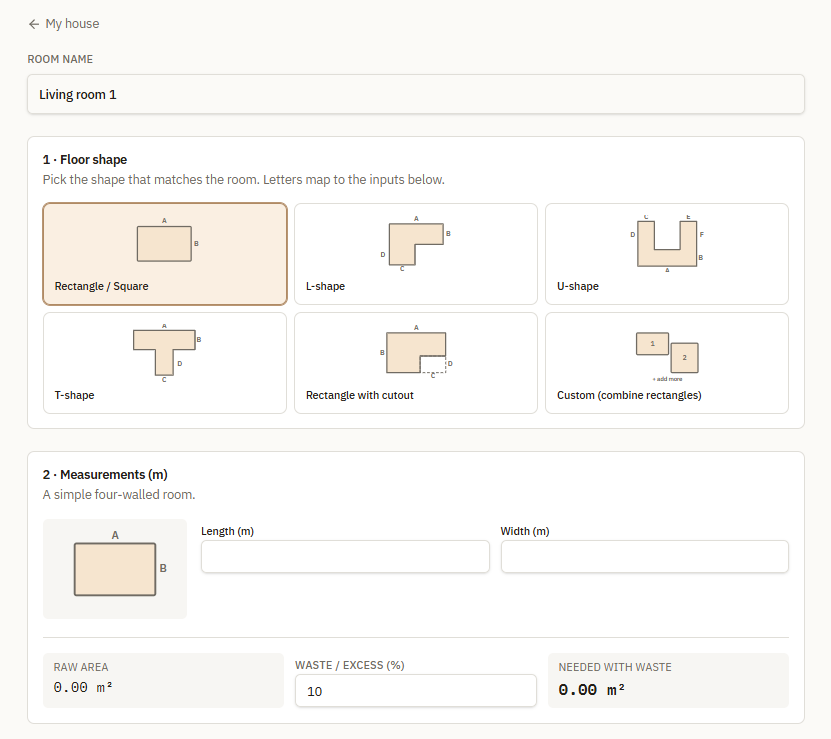
Using Lovable, I designed it to handle any room shape, from simple rectangles to weird L-shaped spaces, with adjustable waste percentages and cost estimates. It’s the tool I wished I had during all those moves. Now, I’m sharing it with anyone who’s ever stood in their local DYI-store thinking, “20 packs of Flooring?! Is this right?”
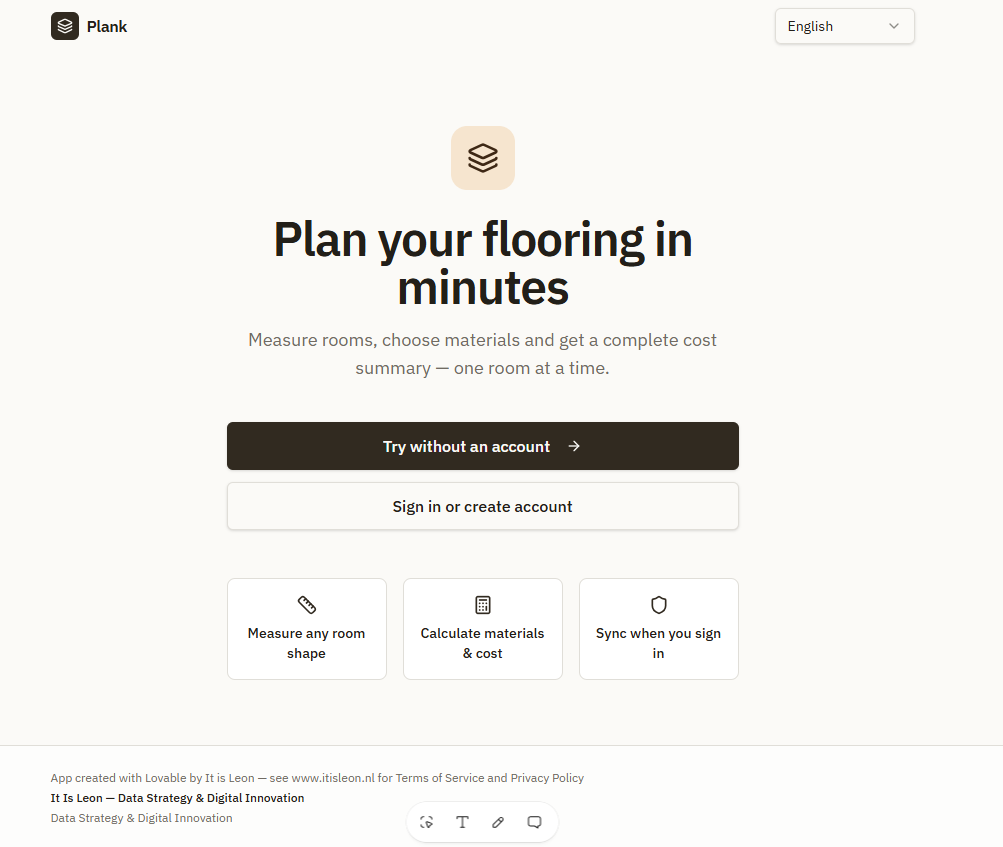
What started as a personal frustration turned into something way more useful than I expected. Plank doesn’t just calculate square meters, it accounts for real-world situations such as odd corners, broken-up rooms and hallways. You can save projects in the cloud (if you make an account) or just use it as a quick, no-sign-up calculator. I built it for DIYers like me, and yeah, it works for laminate, vinyl, tiles, parquet, insulation. You name it.
If you’ve ever overbought flooring or run out halfway through a room, give Plank a try. It’s live at Plank Room Planner or embedded on my site. No sales pitch, no hidden fees here. It’s just a tool that works the way I need it to. Maybe it’ll save you the same headaches it saved me.
Starting a project
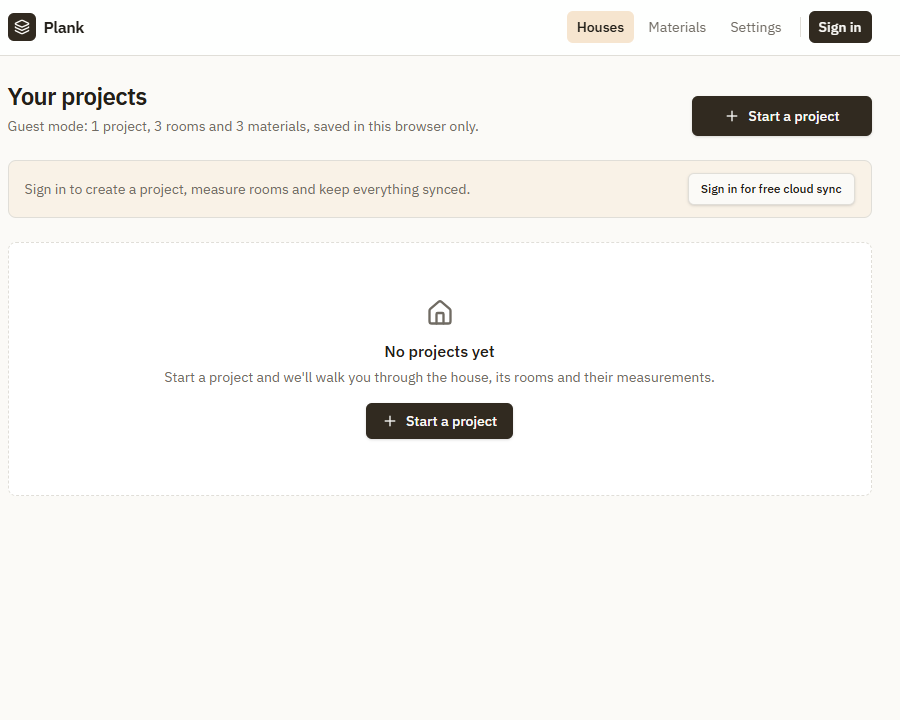
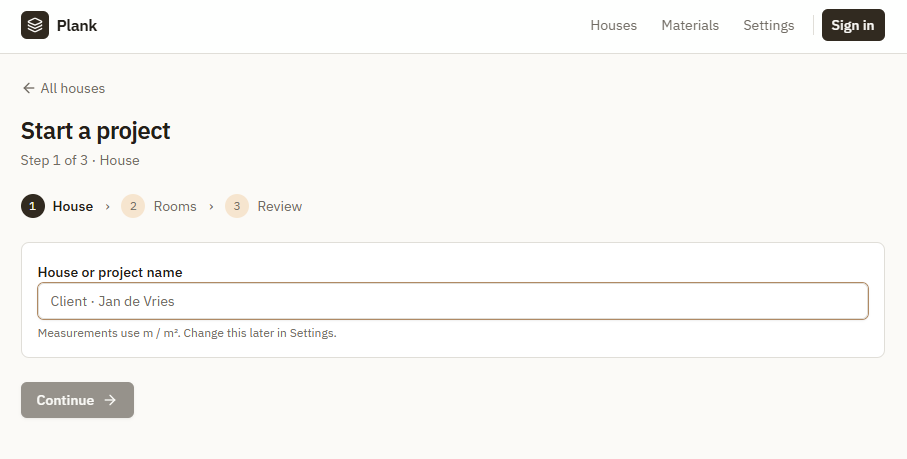
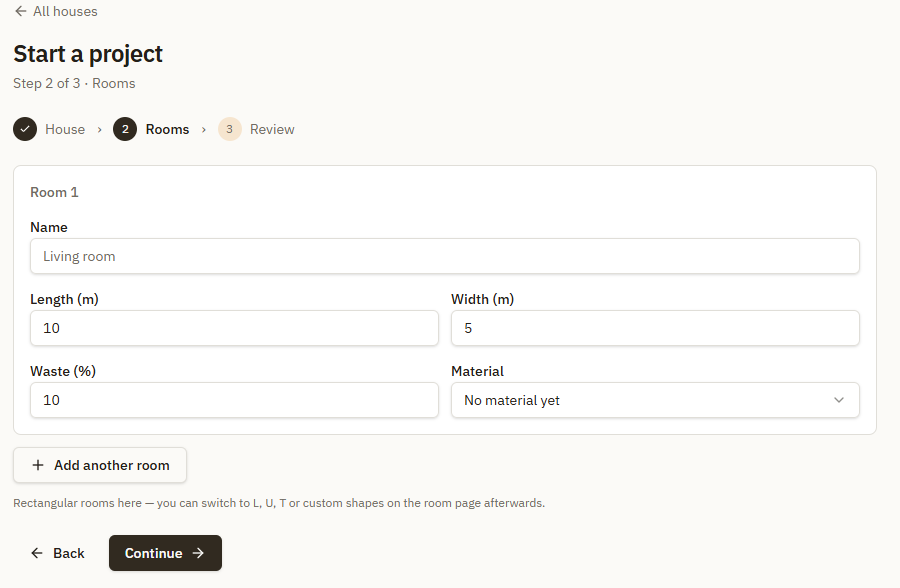
Starting a project in Plank: Flooring Surface calculator is easy, and free. You can start without signing in, or by signing up with a free account or via Google. In all ways, using the app is completely free. But if you sign in or create an account, you’ll get access to Cloud Storage. Meaning you can save your projects for later. All accounts have access to one project which can contain one house and seven rooms in it. There are no limitations on how much materials you can add.
If you don’t sign in or create an account, know that the calculations and projects will delete upon leaving the app/refreshing the browser. In the future I’ll add a paid track for people who need more then 1 project, but rest assured, for the casual DYI-er this app will remain completely free to use!
Cost calculator included
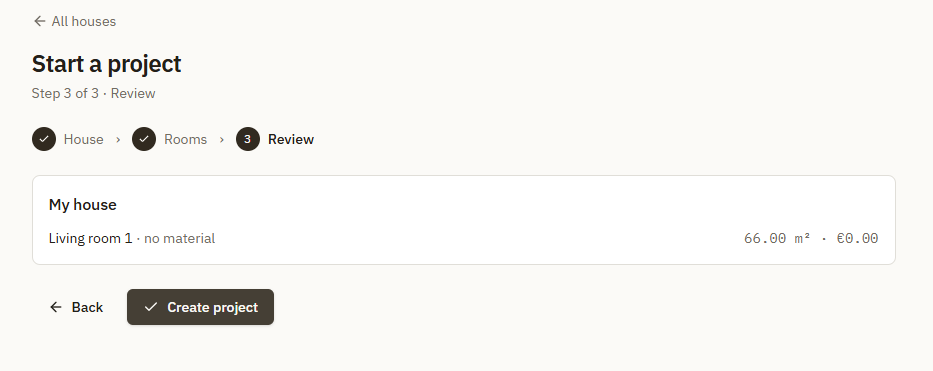
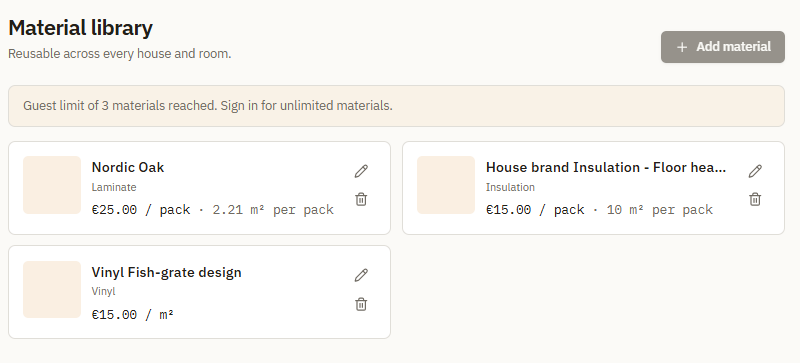
Asides from just a fancy surface calculator, Plank can also show you the total estimated costs of your project. All you need to do is add the materials you intend to use. Even if you haven’t made a choice yet on the color of your floor! Just add a few options, and you can pick and match and see what lines up with your budget! You can put the URL to the seller, and if you have an image URL of how it looks, you can add that as well. That way you can build a little library on your own of materials you intend to use. Note: URL’s do not pull data in, you need to do that yourself. Guests can add 3 materials, signed in accounts can add as many as you need.
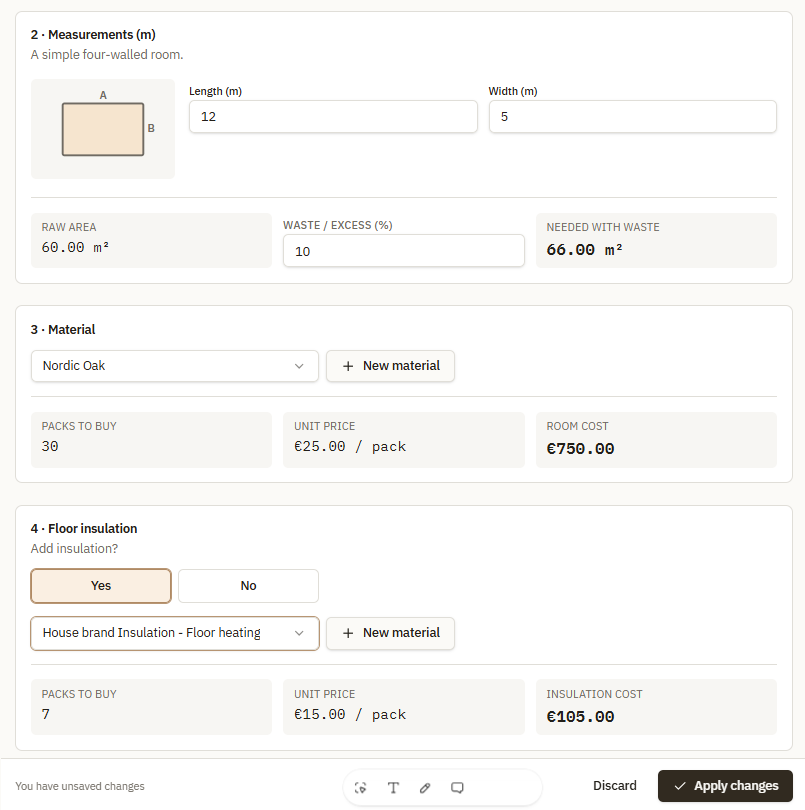
After you added materials, you can go to your project and edit the rooms. As you go along, you’ll start seeing how many packs of the material you need, the surface it will cover and the total cost. You can also edit the waste percentage (usually 10%), so you are sure you have enough material for your project!
Feedback welcome!
And there you go! I hope Plank: Flooring Surface Planner will make your next project a bit easier. For me it’s been a game changer. No more excel sheets, thousands of links in Whatsapp and guessing at how much to buy. Just one app and all information at hand, quick and easy.
If you have any feedback on this app, or functionality ideas you’d like to see or want to suggest, just reach out to me!
Enjoy the app!