
I’ts been almost two years now since I started my YouTube Channel. Granted, I’m not sitting at 1000’s of subscribers or anything, but that was not my goal anyways. I set out on my YouTube journey as a hobby. What I needed at that time was a distraction. Something to spark my creativity during my free time. I had all these creative skills from my Media Management education, and never put them to good use. I decided it was time to change that. So here’s my journey on how I started my Faceless YouTube Channel.
How I started
The most over-used sentence in any motivational or encouraging speech: Just do It. But honestly, that’s how I started. I just did. Of course, I didn’t just had a video ready. No, I did quite some pre-work before I started.
I picked a niche that fit my hobbies. This made creating content easier for me. I like playing building and creation games. Tiny Glade, Town to City, and so on. Indy-games that allow you to express yourself creatively. Where, without much effort, your creations actually look pretty good if you spent some time on it. And most importantly, where there is a photo-mode.
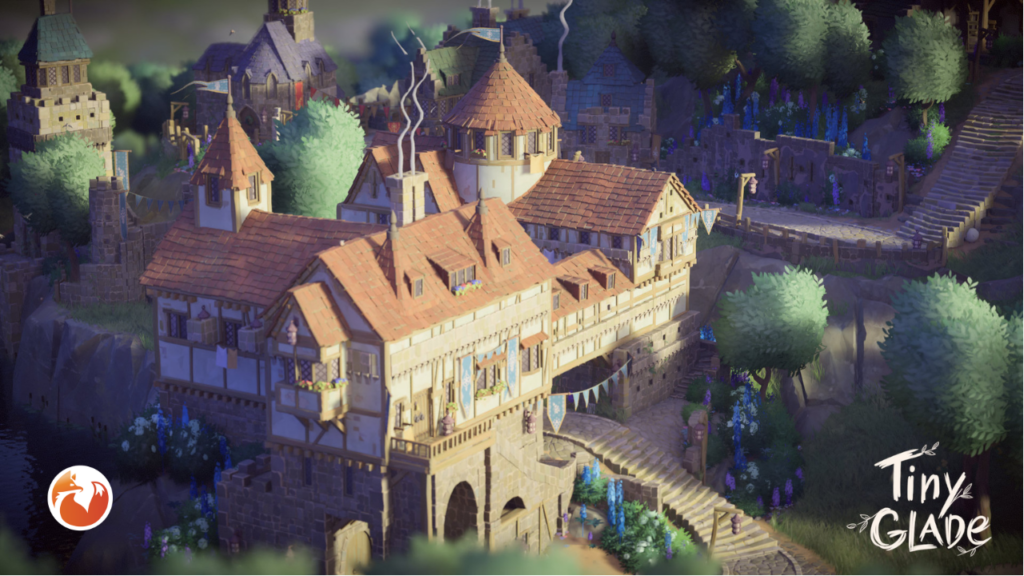
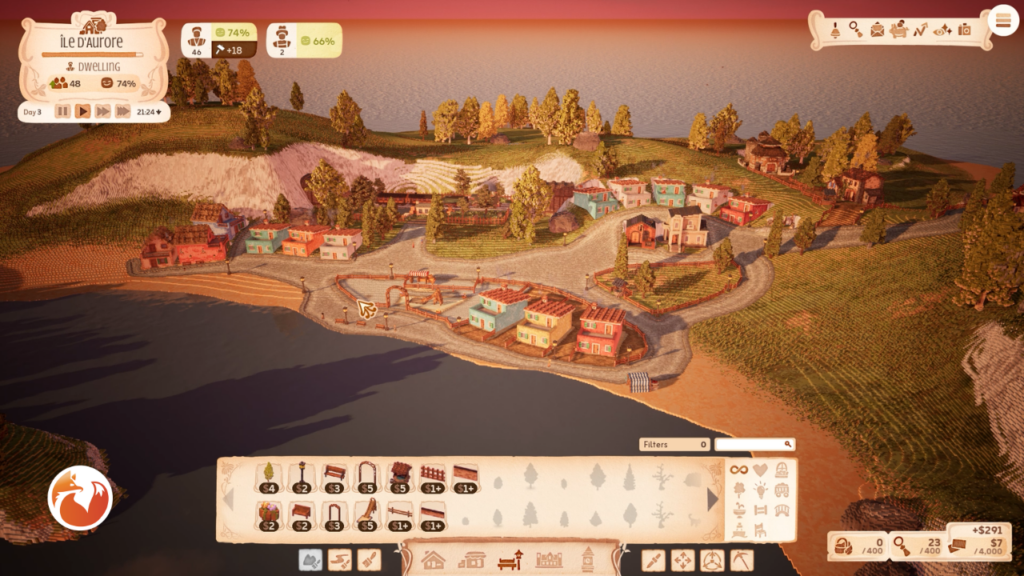
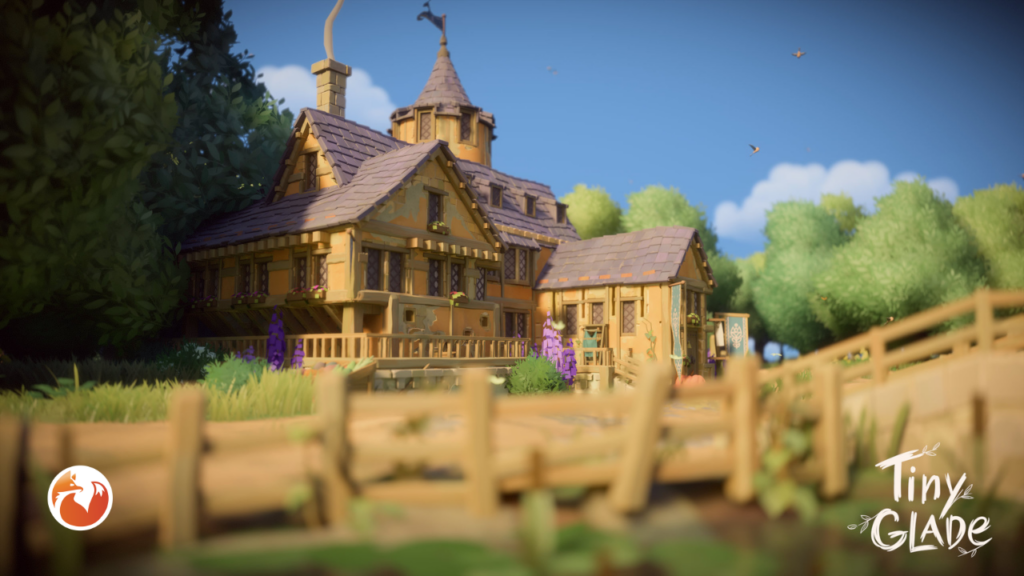
Then I picked a format. Faceless Let’s play Videos. It’s easy, it’s a low barrier of entry and anyone with a half-decent PC and access to recording software can start. I dabbled a view times in doing voice-overs, but I find it hard to speak about my own work into a micro-phone. Still, I created 2-3 videos with a voice-over, and it did go smoother each time. I might pick it up in the future.
Lastly it was time to set up the channel and upload videos. Anyone with a google account can do this, just follow the steps on YouTube. It was a sort of psychological barrier to break through for me. It took me a long time to actually hit publish on my very first video, and it wasn’t even good. The editing was horrible, there was no voice-over, camera-angles were bad. But still, it gathered some views. There was absolutely no interaction, but seeing that view counter go up encouraged me to keep going. It became a challenge for me, how could I make my next video even better?
My software tools
I rely on four main tools to create my content. 1 is paid, 3 are free. If you want to just start, I’d recommend using these as well. Maybe for Premiere Pro you can find free alternatives. I just like to use it since I learned to use the software all the way back in 2013 and never switched.
Open Broadcasting Software, or OBS for short is my recording software. It’s free and easily captures my gameplay. No fuss, no costs, easy and straightforward.
Premiere Pro is my editing tool for the videos themselves. I know how to handle it, and a lot of guides on YouTube helped me up my editing game over the last months as well.
I use Canva to create all my thumbnails. Via the in-game photo-modes I try to get stunning images out, which I then put into a self-made Canva Template together with a title and my site logo. Works like a charm and is repeatable and fast.
AI is acting as my content interns. I made projects, gave specifics and instructions about my channel, my content and what I require. It then helps me generate titles, descriptions and tags. It also enables me to analyze my metrics more effectively. I use both Claude and Mistral, free versions. Since I only upload like 1-2 videos a week I don’t run out of “usage” that fast. It requires the right prompts, but I linked an article of myself on how to do that, give it a try!
My hardware tools
Since I am a gamer at heart, it’s a rig I build over the past 2-3 years for gaming purposes. Fortunately, it doubles very well as a video-editing rig.
*transparency note – these are affiliate links to Amazon
| Item | Product Link |
|---|---|
| Screen: MSI MAG345CQR – Ultrawide Curved QHD Gaming Monitor – 34inch / 180Hz | LINK* |
| CPU: AMD Ryzen 7 – 5700 Processor | LINK* |
| Graphics Card: MSI Geforce GTX 3060 Ventus 2x12gb | LINK* |
| Audio: GXTrust AXon Soundbar | LINK* |
| Microphone: FDUCE M160 USB Gaming Microphone Kit | LINK* |
| SSD: Samsung SSD 990-Pro Heatsink (Same as a PS5 one – crazy price increase though…) | LINK* |
| Motherboard: MSI MPGB550 Gaming Plus | LINK* |
| RAM: Corsair Vengeance LPX DDR4 2x8gb (strong choice – but also fallen victim to the insane price hikes…) | LINK* |
Metrics after 18 months
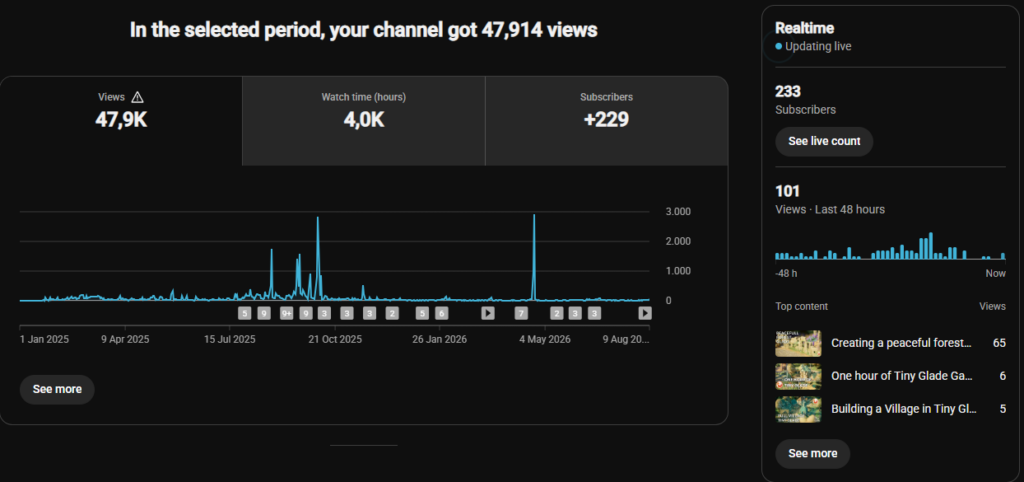
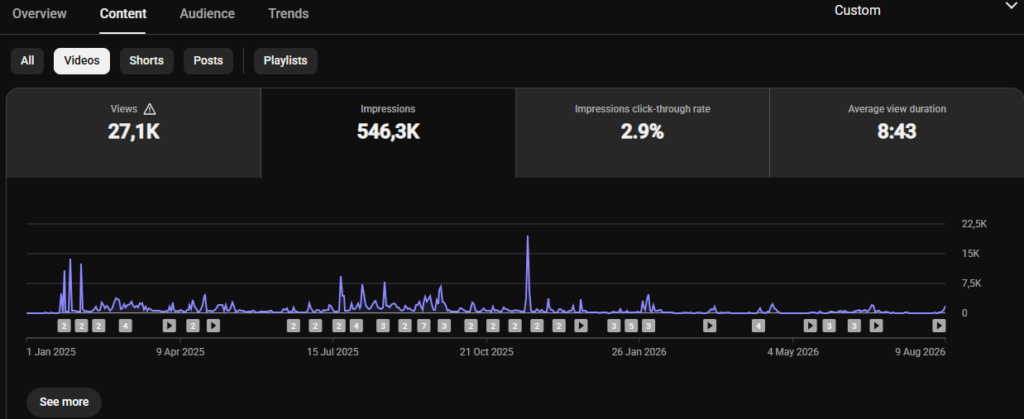
A picture says more then a thousand words, so here is the uncensored metrics tab of my channel. I’m not monetized, yet. But that was never my goal to begin with. As you can see, there are some peaks, some highs and some lows. The peaks are Short-videos. They gave a great view boost, but ultimately did very little for my channel in terms of viewership.
This second image matters more to me. I gathered more then half a million impressions, for free, in a bit over a year. Half a million. Sure, that’s not much to some of the larger creators, but still. That’s quite a reach, for a free channel with zero investments.
What’s next?
While how I started my faceless YouTube channel might be a great, yet lengthy, read. The real question is: “what’s next”. I build up quite a library of content and the channel is growing steadily. I might expand into new video formats in the coming year. Try out new games, do actual voice-over content or even give a full review a go. I’m not sure yet. For now, I like the ride and the content pace. It’s important not to burn out on your own schedule, so I will stick to 1-2 video’s a month for now.
Last month, I released my 100th video. Let that number sink in. I started off hesitant to create content, but now I have 100 videos on my channel. Self-made, no AI slop. Just me, my gameplay & my video edits. If I can do it, you can too!
If you made it this far, thanks for reading! I hope this inspires you to start yourself as well, you’ll see that it’s easier then it looks. You just have to do it.